
Send email

Now, simply get your certificate issued! With Certpia, you can have your issued certificate sent directly to the relevant institution (receiving location) via email, without having to visit in person or send it by mail.
※ Please contact the school if embossing or physical processing is required.-
 ① Check received email
Check emails received from Certpia
-
 ② Go to the issuance page
Select the issuance code included in the email body to go to the page.
-
 ③ Enter pickup location/issuance code
Enter the recipient(s) and the receipt certificate issuance code.
-
 ④ Viewing and Printing
Check the issued certificate and print it if necessary.
How to use Mobile Certpia
-
STEP 1
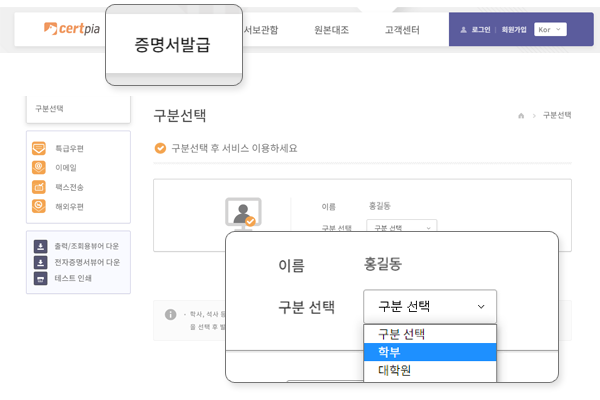
Select Certificate Issuance from the top menu, then select Academic Status Classification
-
STEP 2
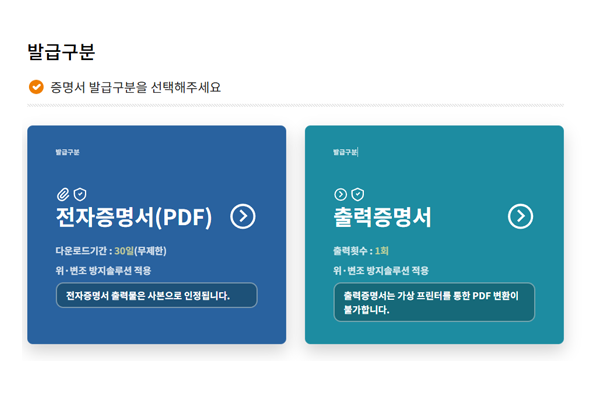
Select Electronic Certificate (PDF) / Print Certificate under Issuance Type
-
STEP 3
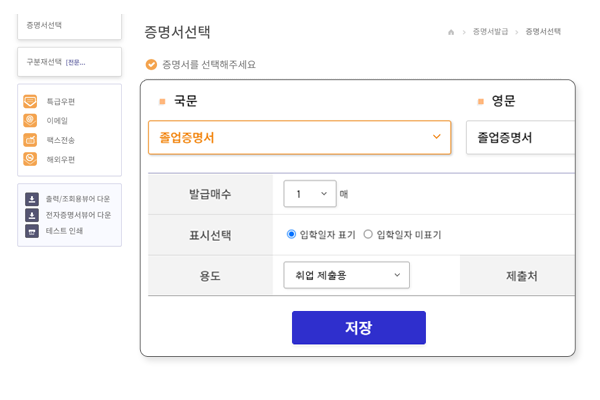
Check application details after entering certificate type, number of copies, and purpose.
-
STEP 4
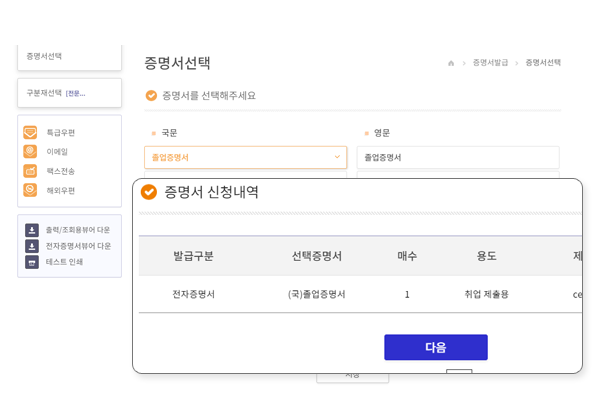
Check application certificate
-
STEP 5
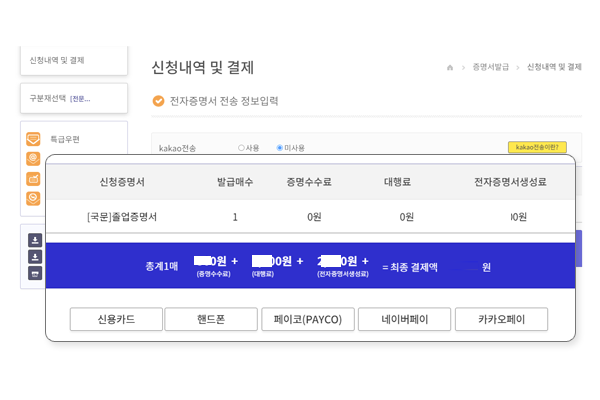
Proceed with payment after confirmation
-
STEP 6
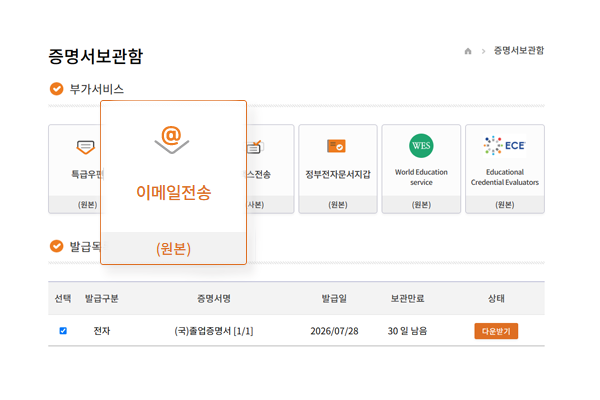
Select document from Certificate Archive → Send Email
How to Use on Mobile
Guides you through the process from app download to certificate issuance and storage.
-
 ① App Download & Login
Install the app and log in
-
 ② School Registration/Selection
Register or select your school
-
 ③ Certificate Issuance
Select the certificate to issue
-
 ④ Payment
Pay the issuance fee
-
 ⑤ Certificate Archive
Check the issued certificate
-
 ⑥ Email
Send certificate via email
*Email delivery may fail due to spam filters, unsubscribed settings, or internal firewalls, so please be sure to confirm receipt with the recipient.
- Send the certificate directly via email to the institution (receiving location) to which it will be submitted.
- You can check the certificates received via email, and view the viewing time and history in the Certpia certificate archive.
- Certificates sent via email are in the form of electronic documents with built-in security features, allowing for secure submission without the need for separate postal mail.
- Printable certificates must be previewed using a dedicated viewer before printing, and the authenticity of the original can also be verified through a dedicated viewer for electronic certificates (PDF).