
Government electronic document wallet

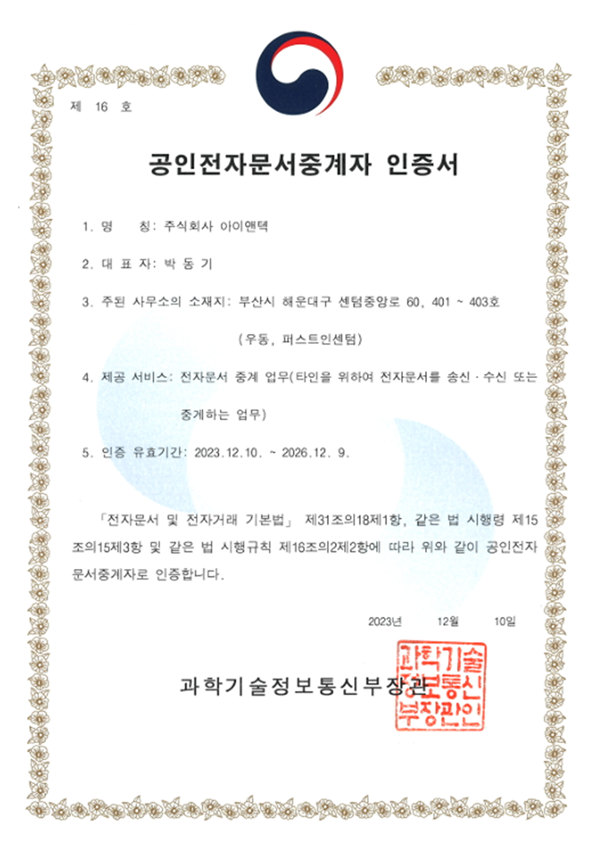
The Government Electronic Document Wallet is an official government service that allows you to securely store issued
electronic certificates on your smartphone and submit them immediately to the necessary agencies.
-
 Electronic Certificate Storage
Securely stored on your smartphone
-
 Official Government Service
Ensures reliability as an official government service
-
 Instant Submission
Submit immediately to the required institution
-
 Mobile Access
Convenient access anytime, anywhere
How to use Mobile Certpia
-
STEP 1
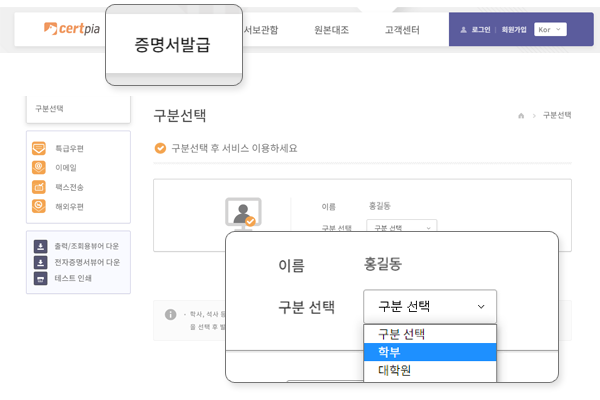
Select Certificate Issuance from the top menu, then select Academic Status Classification
-
STEP 2
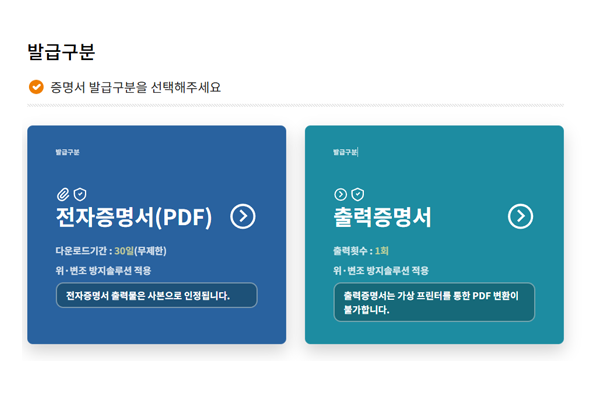
Select Electronic Certificate (PDF) in Issuance Type
-
STEP 3
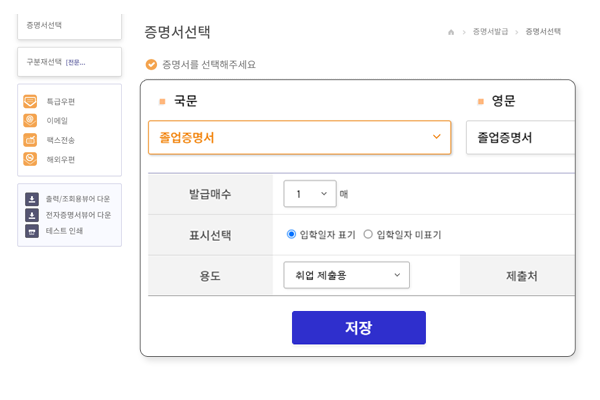
Check application details after entering certificate type, number of copies, and purpose.
-
STEP 4
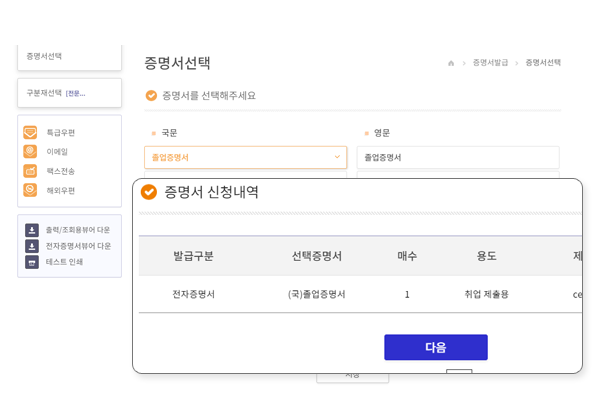
Check application certificate
-
STEP 5
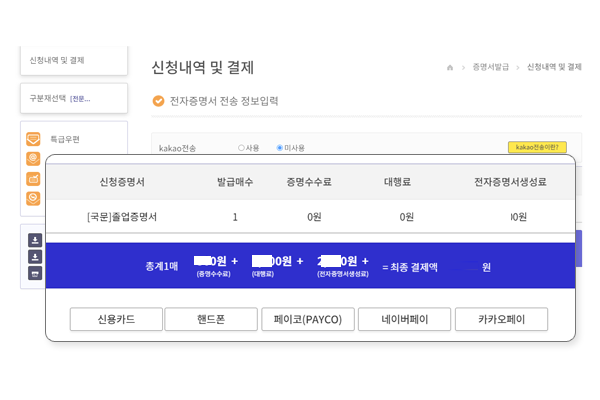
Proceed with payment after confirmation
-
STEP 6
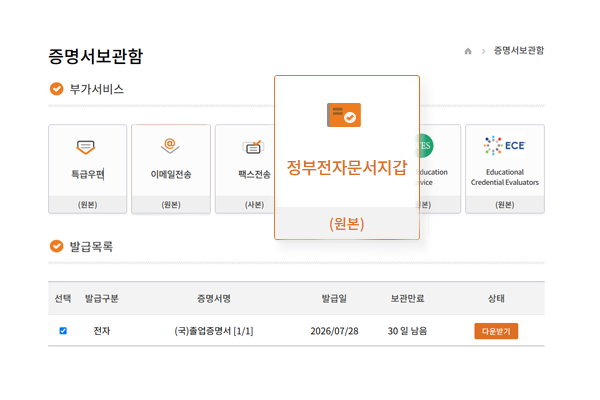
Select document from Certificate Archive → Send to Government Electronic Document Wallet
How to Use on Mobile
Guides you through the process from app download to certificate issuance and storage.
-
 ① App Download & Login
Install the app and log in
-
 ② School Registration/Selection
Register or select your school
-
 ③ Certificate Issuance
Select the certificate to issue
-
 ④ Payment
Pay the issuance fee
-
 ⑤ Certificate Archive
Check the issued certificate
-
⑥ Government e-Document Wallet
Send to the Government e-Document Wallet
*Certificates sent to the e-document wallet cannot be refunded afterward.
*After transmission is complete, you can check the certificate as "For Viewing" in the Government24 e-document wallet menu.